HubSpot shipped the AI workflow builder in late 2025 with the kind of keynote treatment that makes you suspicious. I waited four months before I ran a real campaign through it, then another two before I trusted it with anything I cared about. Six months in, I have actual opinions, and the short version is: it's neither the revolution the launch deck implied nor the gimmick the contrarians on LinkedIn called it.
This HubSpot AI workflow builder review is what I'd tell a peer who asked me whether to use it on a real campaign tomorrow. We've now deployed it across enough customer portals to have a defensible point of view, including the cases where it earned its place and the cases where we turned it back off. Here's the unvarnished version.
What HubSpot's AI workflow builder actually does
Quick context for anyone who hasn't logged into HubSpot since the release. The AI workflow builder is HubSpot's attempt to let a marketer describe a workflow in natural language and have the system scaffold the branching logic, enrollment criteria, and action steps. You type "send a three-email nurture to new leads from the demo-request form, branching on industry," and the builder produces a draft workflow you can then edit. The official feature documentation lives in the HubSpot knowledge base if you want the canonical version.
It also pairs with HubSpot's broader Breeze AI suite to fill in content blocks, suggest send-time defaults, and surface optimization recommendations on existing workflows - part of the broader vendor trend documented across the Chiefmartec martech landscape. That second piece is the part most marketers underuse and is, frankly, where the actual value sits.
What it does well
Crediting fairly, here's what I'd give the AI workflow builder a checkmark on after six months:
- Scaffolding speed. Going from idea to a draft workflow has gone from 30-45 minutes to roughly five. That's a real productivity gain for teams that build a lot of small workflows.
- Standard pattern recognition. For the dozen-ish workflow patterns every B2B team uses (welcome series, lead-source nurtures, re-engagement, win-back), the builder produces a sane first draft that's usually 80% of the way to shippable.
- Property mapping. The AI does a surprisingly good job of inferring which contact properties to use for branching, including custom properties it's seen elsewhere in your portal. This is the unsung feature.
- Reduced syntax friction for non-technical marketers. The "I know what I want but can't navigate the workflow UI" problem largely disappears. Junior marketers who previously needed handholding can now ship competent workflows on their own.
Net of these, the builder pays for itself for teams building more than 5-10 workflows a quarter. For lower-volume teams, the time savings are smaller and the case is less clear.
What's still missing
Here's where I'd put X marks - the gaps that have surprised me, six months in, given how much the launch deck implied was solved:
- No native orchestration awareness. The builder will happily create a workflow that overlaps with three other active workflows targeting the same contacts. It has no view of your existing automation graph and no way to suggest "this would collide with what you already have." This is the single biggest miss.
- Weak handling of complex branching. Anything past 2-3 levels of nested branches degrades fast. The AI tends to produce branches that look right but route contacts strangely under edge conditions. Always re-test.
- No real understanding of deliverability impact. The builder will suggest send-time defaults that look reasonable but ignore HubSpot email frequency caps, time-zone considerations, and over-messaging risk. It treats each workflow as if it's the only one running.
- Generative content quality is brand-flat. The content blocks it produces are competent and voiceless. Fine for transactional copy. Wrong for anything that needs to sound like your brand. Plan to rewrite.
- Limited visibility into AI decisions. When the builder makes a choice (which property to branch on, which content variant to default to), you don't see the confidence level or the alternatives it considered. The black-box problem applies here too.
The orchestration gap is the one that matters
If I had to call out one limitation that's costing customers real money, it's the orchestration blindness. The builder treats every workflow as a standalone artifact. In a real B2B portal with 15-30 active workflows, that's an architectural mistake.
The pattern we've seen repeatedly: a marketer uses the builder to ship a clean new workflow, the workflow performs well in isolation, and engagement on three other workflows drops by 6-12% over the next month because the new workflow is colliding with them. This is exactly the dynamic I covered in the email collision problem - orthogonal workflows that step on each other at the recipient level. Nobody connects the dots because the new workflow looks fine in its own dashboard.
This is the gap we built our Campaign Orchestration release to address back in February. The AI workflow builder produces individual workflows. Orchestration is the layer that ensures those workflows don't step on each other at the recipient level. They're complementary, not competing - but HubSpot's builder alone doesn't solve the orchestration problem.
The scorecard
For the readers who skim, here's the rating card I'd hand to a peer asking what they should expect:
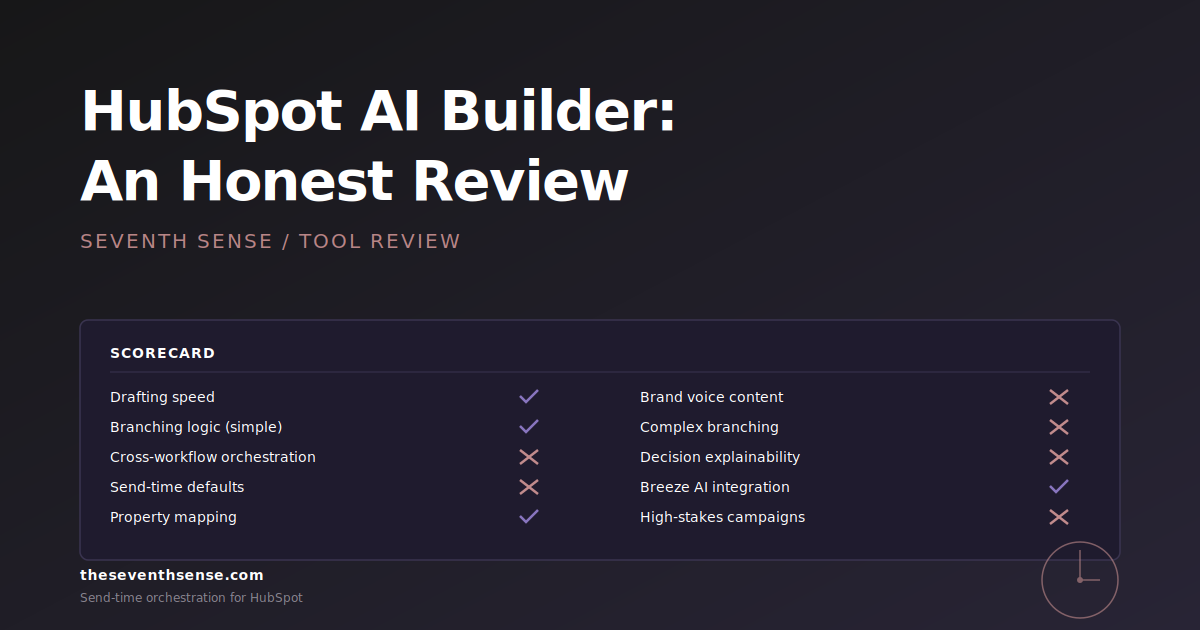
- Speed of drafting workflows: Checkmark. Real time savings.
- Quality of generated branching logic (simple): Checkmark. Sane defaults, easy to edit.
- Quality of generated branching logic (complex): X mark. Re-validate everything past three branches deep.
- Cross-workflow orchestration awareness: X mark. Doesn't know other workflows exist.
- Send-time defaults: X mark. Generic, ignores recipient context.
- Generative content quality: Partial credit. Usable for transactional, weak for brand voice.
- Property mapping intelligence: Checkmark. Better than expected.
- Explainability of AI decisions: X mark. Limited visibility into why the AI chose what it chose.
- Integration with Breeze AI optimization: Checkmark. Underrated piece, worth turning on.
- Suitability for high-stakes campaigns: Partial credit. Use with human-in-the-loop email workflows review.
When to use it (and when to skip it)
Six months of usage gives me clear opinions on the use cases:
Use the AI workflow builder when:
- You're building a standard workflow pattern (welcome, nurture, re-engagement) and want to skip the scaffolding time.
- The workflow is going to run in isolation and isn't going to compete with other workflows for the same inbox.
- You have a junior marketer who needs to ship workflows without deep HubSpot expertise.
- You're prototyping ideas quickly and want to see what a workflow could look like before committing to building it manually.
Skip it (or use it with heavy human review) when:
- The workflow touches your highest-value contacts or biggest accounts.
- You already have 10+ active workflows and adding another raises orchestration risk.
- The campaign requires brand-voice copy that can't be generic.
- The branching logic is complex enough that "looks right" isn't good enough - you need to validate every path.
How it compares to alternatives
The realistic comparison set isn't "AI workflow builder vs. manual HubSpot workflow building." Most teams will do both. The more useful comparison is what to pair it with.
- vs. manual building: Faster for standard patterns, equivalent for complex logic, worse for cross-workflow coordination. Net positive for most teams.
- vs. third-party workflow tools: The AI workflow builder is strictly worse than purpose-built orchestration tools for managing cross-workflow conflicts - that's not what it's designed for - but it's strictly better than nothing for accelerating workflow creation.
- vs. doing nothing: If your team is bottlenecked on workflow creation, turn it on tomorrow.
The right mental model: HubSpot's AI workflow builder is a workflow-creation tool, not a workflow-management tool. Pair it with whatever you use for orchestration, deliverability monitoring, and recipient-level send-time logic - ideally something that complements rather than overlaps.
Frequently asked questions about the HubSpot AI workflow builder
Is HubSpot's AI workflow builder included in all subscription tiers?
The core builder is available in Professional and Enterprise Marketing Hub tiers, with feature depth varying by tier. Some of the more advanced Breeze AI integrations require Enterprise. Check the current pricing page - HubSpot has been adjusting the tier mapping every couple of quarters.
Can I trust the AI workflow builder with my biggest campaigns?
With human-in-the-loop review, yes - for standard patterns. Without review, no - for any campaign that matters. The builder produces sane first drafts, but the orchestration and brand-voice gaps mean you should treat the output as a starting point, not a finished workflow.
Does the AI workflow builder integrate with third-party tools like Seventh Sense?
The workflows generated by the builder are standard HubSpot workflows that integrate with the same third-party tools as any manually built workflow. Our scheduler operates on the send-time layer regardless of whether the workflow was AI-generated or hand-built, so the integration is seamless.
Will HubSpot fix the orchestration blind spot?
I'd expect them to in time - the gap is well-known and the demand is clear - but I wouldn't plan around it. The orchestration problem is hard, and "AI builder that's aware of every other AI builder's output" is a much bigger architectural lift than the keynote demos suggest. Solve it with a complementary layer in the meantime.
Where to go from here
The honest summary: turn the AI workflow builder on, use it for standard patterns, validate it for complex ones, and don't expect it to solve problems it wasn't designed to solve. The biggest mistake I see is teams treating it as a complete workflow management system instead of an accelerated workflow creation tool. Those are different jobs.
If you want to see what's missing from HubSpot's AI builder - specifically, recipient-level orchestration and send-time intelligence - the free trial of Seventh Sense connects in about 15 minutes and adds the layer the builder leaves out. Use both. They're complementary by design.
See what your email program could be doing.
Connect Seventh Sense to your HubSpot portal and watch the AI surface per-person engagement profiles, per-inbox-provider performance, and AI-driven optimization recommendations - within 24 hours.
Try it free →